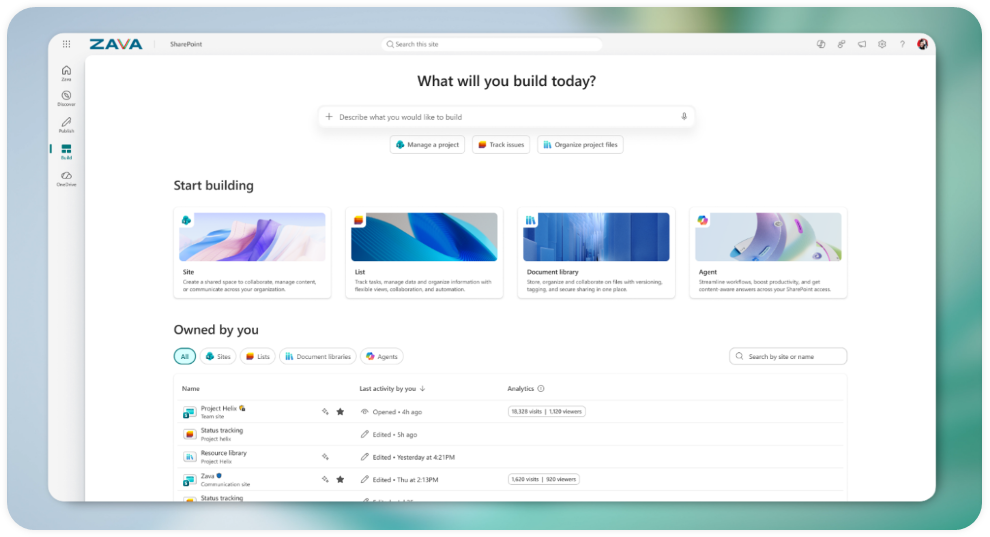

The New SharePoint Experience in Microsoft 365
From Content Platform to AI‑Powered Knowledge Hub
For years, SharePoint has been the backbone of collaboration in Microsoft 365—powering intranets, document management, communication sites, and countless business solutions.
In 2026, Microsoft takes a bold step forward with the New SharePoint Experience, reimagining SharePoint not just as a place to store content, but as a knowledge‑first, AI‑ready platform designed for the modern workplace.
This is more than a visual refresh. It’s a strategic evolution.
➔ Launch Demo: SharePoint New Experience
Why a “New” SharePoint Experience?
Modern work has fundamentally changed:
- Information is distributed, not centralized
- Users expect intuitive, task‑focused experiences
- AI is becoming a first‑class productivity partner
The new SharePoint experience is Microsoft’s answer to these shifts. It simplifies how people discover knowledge, publish content, and build solutions, while laying the foundation for deeper AI integration across Microsoft 365.
What’s changing?
1. Re‑Centered Around Three Core Jobs
At the heart of the redesign is a clear mental model. SharePoint now revolves around three primary user goals:
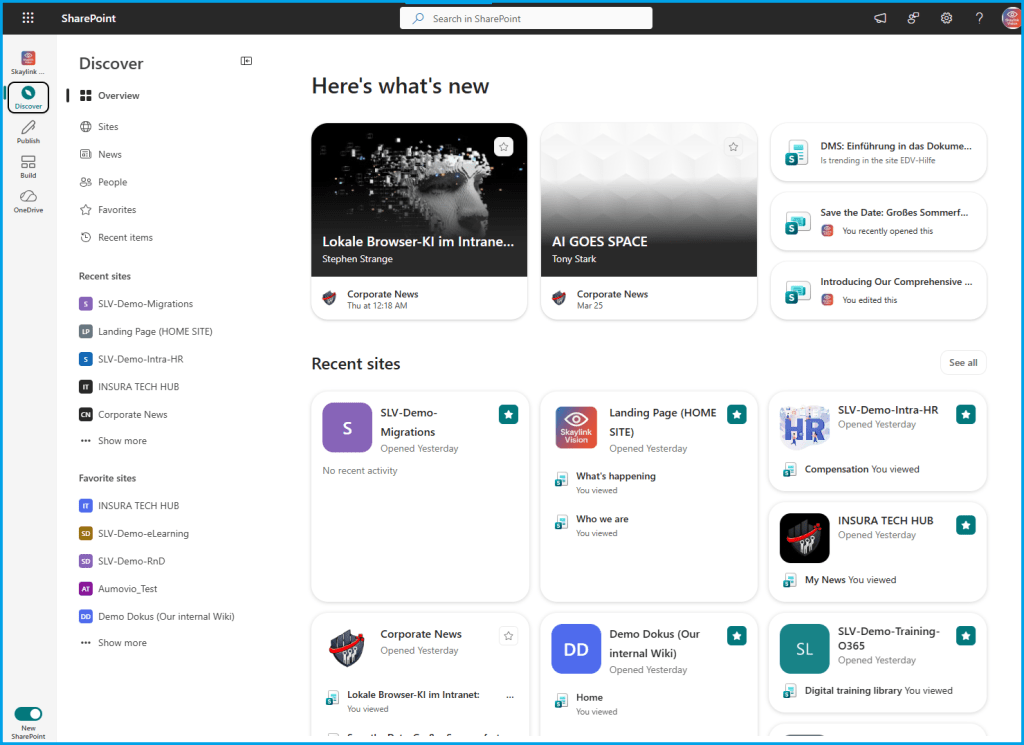
[Discover]
A reimagined entry point replaces the classic SharePoint start page. The Discover experience surfaces relevant sites, files, and news—prioritized by context and activity rather than static navigation structures.
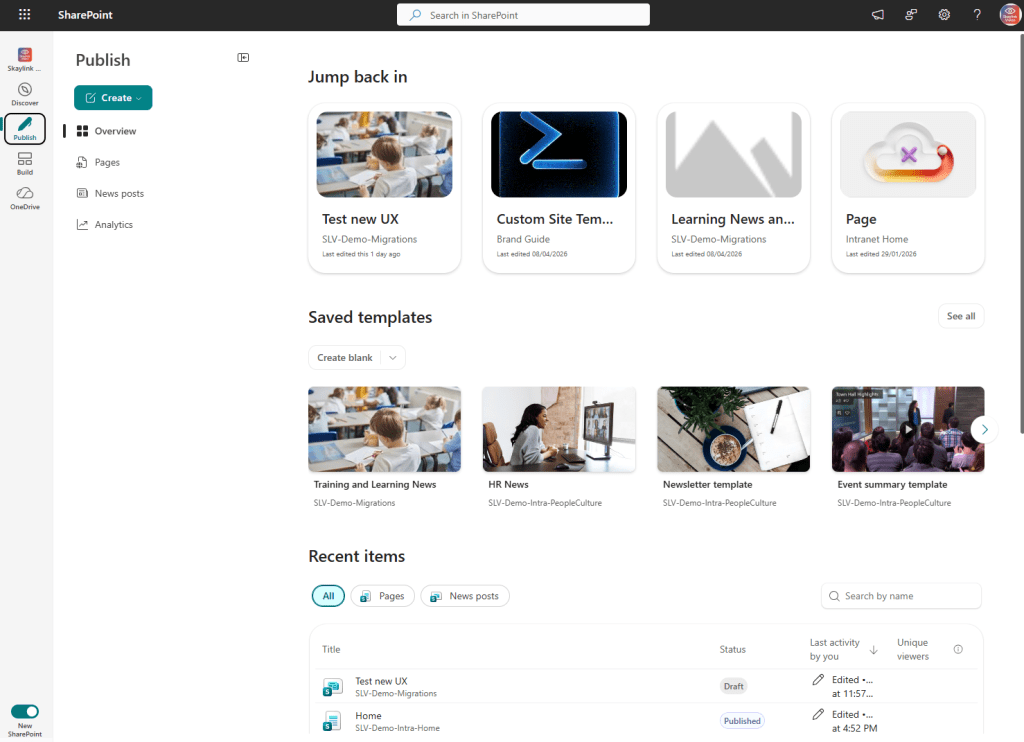
[Publish]
Publishing is no longer scattered across pages, news posts, and campaigns. The new Publish hub brings everything together into a unified content publishing experience, supporting structured communication at scale and aligning with Amplify‑powered campaigns.
[Build]
The Build experience centralizes the creation and management of:
- SharePoint Sites
- Lists and Libraries
- Business solutions and agents
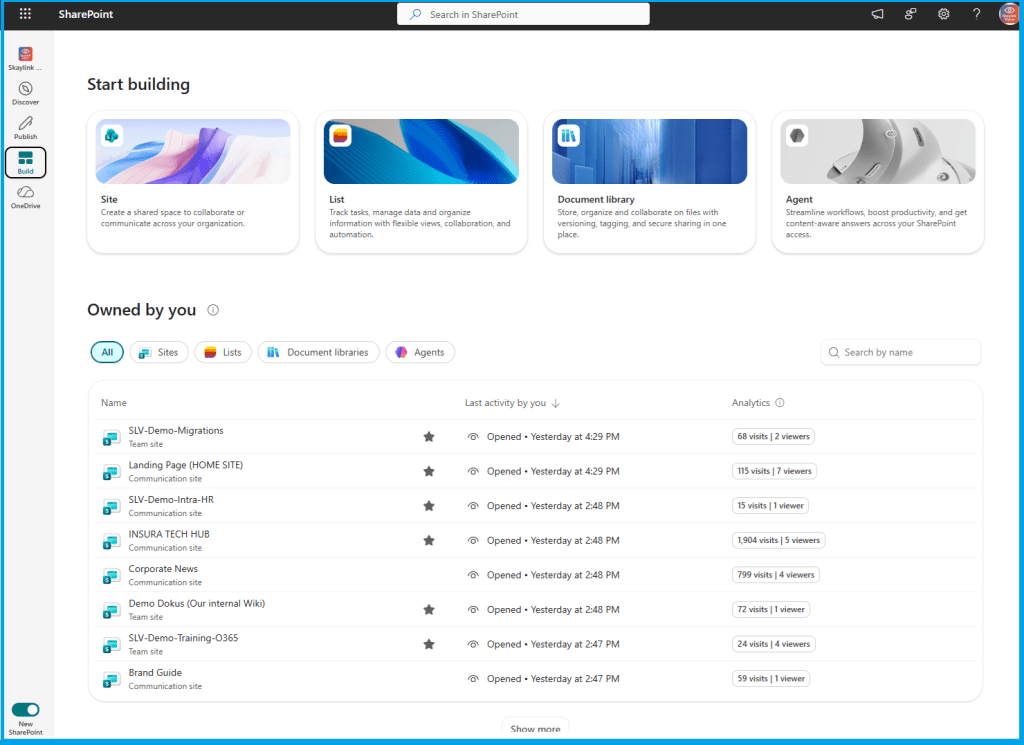
This reduces friction for makers and admins alike, making SharePoint more approachable without sacrificing power.
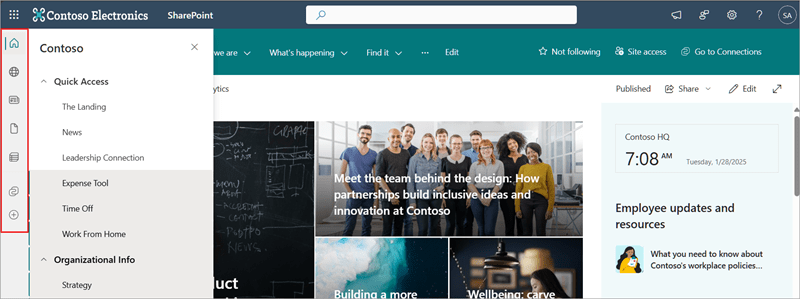
2. A Redesigned App Bar: Small Change, Big Impact
One of the most visible improvements is the completely redesigned SharePoint app bar. Instead of a generic navigation strip, the new app bar introduces clear, task‑oriented destinations:
During the preview phase, users can switch between the new and classic experiences, allowing for gradual, low‑risk adoption since it doesn’t change site theming or web parts.
3. Cleaner Design, Less Noise
Visually, Microsoft has taken a “less is more” approach:
- Neutral theming across SharePoint UI surfaces
- Improved content elevation and readability
- Reduced visual noise while preserving site‑level branding
The result is a calmer, more focused experience that lets content and context take center stage,
not chrome or navigation clutter.
Compare it to the old experience: The old the SharePoint app bar
4. Built for an AI‑First Future
While not all users will immediately notice it, one of the most important shifts is architectural:
the new SharePoint experience is designed to power AI‑assisted scenarios.
With a Microsoft 365 Copilot license, users can access AI capabilities that support:
- Smarter content discovery
- AI‑assisted creation and publishing
- Knowledge agents embedded directly in SharePoint workflows
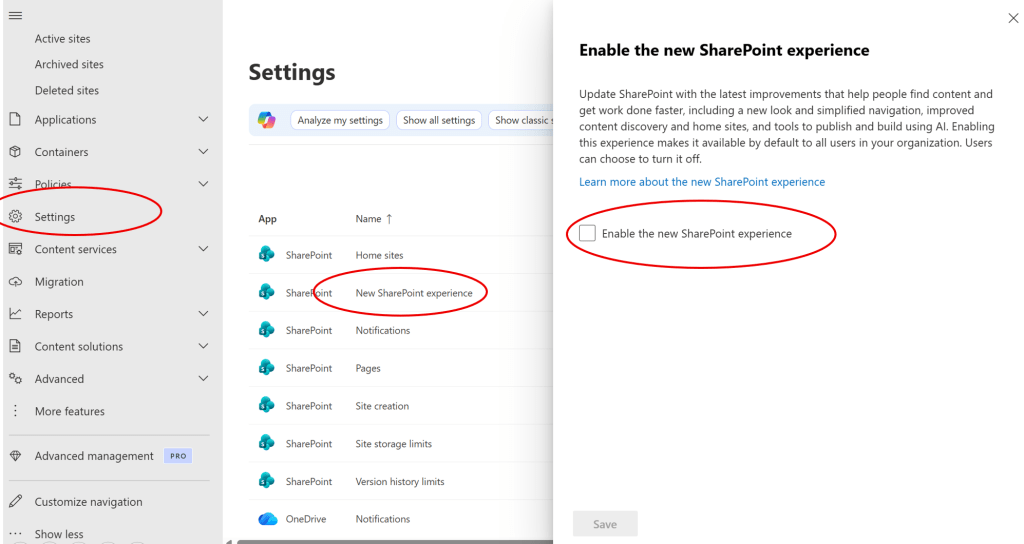
How to enable it?
See here for more: Enable new SharePoint experience (preview)
Rollout and Availability
This positions SharePoint as a foundational knowledge platform—not just for people, but for AI working alongside them. [learn.microsoft.com], [sharetech.in]
Microsoft is rolling out the new experience in phases:
- Public Preview: March–April 2026
- Targeted Release: Late April–Early May 2026
- General Availability: May 2026 (Worldwide, GCC, GCC High, DoD)
During preview, tenant admins must explicitly enable the experience in the SharePoint Admin Center to bring up the toggle. Once done, you can then switch back and forth between the new and old visual.
After GA, the experience will roll out broadly across all tenants globally.
This message is associated with Microsoft 365 Roadmap ID 547732
and is also published in the M365 Admin Center with Message ID: MC1240699.
What does it mean for Organizations?
For IT, intranet owners, and governance teams, the new SharePoint experience brings important considerations:
- Rethink information architecture around discovery, not folders
- Review publishing processes and campaign strategies
- Prepare users for a task‑centric navigation model
- Verify that users have a Microsoft 365 Copilot license assigned to access the AI capabilities.
- Communicate expected UI changes to helpdesk and affected teams before enabling.
- Update internal documentation if you describe SharePoint navigation or app bar elements.
- Align SharePoint governance with upcoming AI capabilities
This is not just a UI toggle—it’s an opportunity to modernize how knowledge flows across your organization.
Final Thoughts
The new SharePoint experience marks a significant milestone. It modernizes the platform visually, structurally, and strategically—while preparing it for an AI‑powered future inside Microsoft 365.
If SharePoint has always been your organization’s content backbone, it’s now evolving into something more:
a dynamic, intelligent knowledge hub designed for how people actually work today.

