
returning from vacation I noticed a recent announcement and change so hence here
Just a quick one…
- Starting July 1, OTP-based sharing links will no longer work for external users.
- Organizations using SharePoint and OneDrive with Entra B2B must reshare content via guest access.
- External users will need to register with multi-factor authentication (MFA).
Microsoft is going to retire one-time passcode (OTP) sharing method to be replaced with the more secure Microsoft Entra B2B Collaboration.
According to the Microsoft 365 admin center message notification MC1089315 (6 June 2025), all previously shared links using OTP authentication will soon stop working!
Microsoft Entra B2B Collaboration will be more secure for organizations to work with external partners by allowing them to access internal resources (such as Microsoft Teams, SharePoint, or apps) using their credentials.
The old One-time Passcodes (OTP) in SharePoint Online
The previous used “OTP codes” relied on temporary codes or links, with adding external users as guest accounts in the organization’s directory (aka, the “Secure external sharing recipient experience”)
What does that mean?
- After July 1, all new sharing links generated for external people will use Entra ID B2B Collaboration and the shared-with user will receive an email containing the sharing link generated by Entra ID service. This will simplify the User Experience as it doesn’t require users anymore to go first to their email box, get the code, return to teh site they want to access and type in the emailed code.
- After July 1, all previously issued sharing links based on OTP passcodes will stop working. There will be likely a cause for confusion when a link sent to users doesn’t work anymore out of sudden.
When this happens, users attempting to use these outdated links will see the following error:
“Sorry, something went wrong. This organization has updated its guest access settings. To access this item, please contact the person who shared it with you and ask them to reshare it with you.”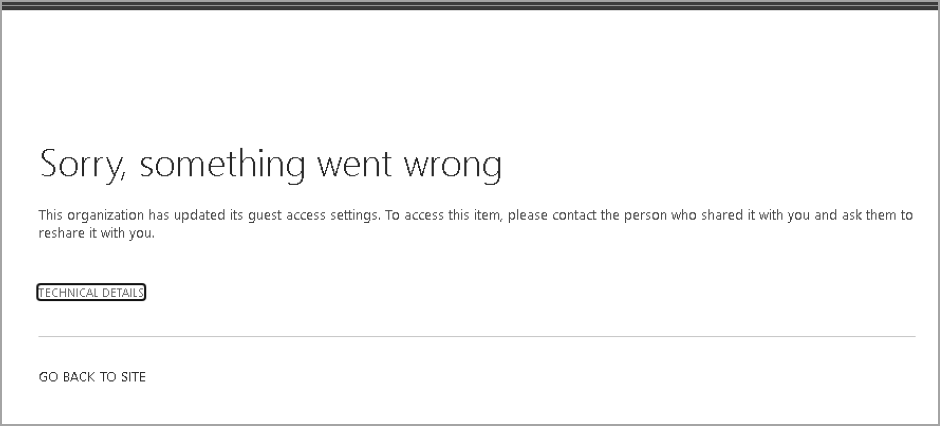
Error message (Image by Microsoft) - This change will affect organizations that have enabled or plan to enable SharePoint and OneDrive integration with Microsoft Entra B2B. Once integrated, all new external sharing will use Microsoft Entra B2B Invitation Manager.
It is highly recommends to notify employees who collaborate with external users that previously shared links will no longer work after the change to prepare for possible helpdesk calls.
Tiny TIP:
To identify current/existing OTP links, try this: Report on file and folder sharing in a SharePoint site
Cheers, Steve
Related Content:
 SharePoint mysteries and more...